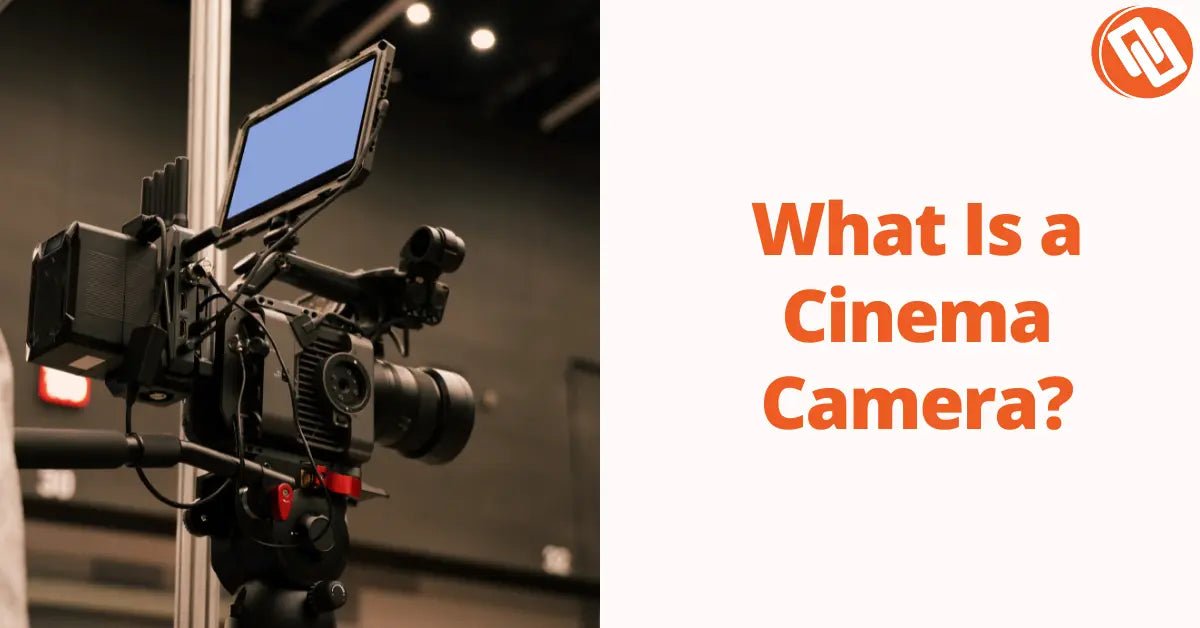

Choosing the right cinema camera isn’t just about specs, it’s about outcomes. How to choose the right cinema camera depends on what you’re shooting, how you deliver, and the level of control you need on set. Yet here’s the reality: over 70% of independent filmmakers overspend on camera gear they don’t fully utilize, according to industry surveys. We’ve seen this happen repeatedly, creators invest in high-end bodies but struggle with workflow, lighting, or post-production.
This guide helps you learn what actually matters, what to ignore, and how to match a professional video camera to your real-world needs whether you’re shooting branded content, documentaries, or short films.
Start With the Outcome, Not the Camera
Before diving into specs, define your end goal. This sounds obvious, but most people skip it and pay for it later.
Ask yourself:
-
Where will the footage live? (YouTube, Netflix, ads, social)
-
What’s your delivery resolution? (1080p, 4K, 6K+)
-
What’s your timeline and budget?
Here’s why it matters: Netflix requires approved cameras with strict specs, but YouTube compresses video heavily meaning a $6,000 camera may not look significantly better than a $2,000 one in final output.
According to a digital movie cameras market report, over 92% of global film and television productions now use digital cinema cameras, while more than 68% of professional productions rely on 4K or higher resolution systems—highlighting how critical modern specs and workflows have become in camera selection.
We’ve seen this happen on commercial shoots. A client insisted on shooting 6K RAW for a social campaign… only to export in 1080p. The extra data slowed editing by 40% and added zero visual benefit.
If you’re unsure what defines a cinema camera in the first place, this foundational guide on What Is a Cinema Camera? A Complete Guide for Filmmakers breaks it down clearly.
Takeaway:
Start with distribution and workflow. The “best cinema camera” is the one that aligns with your final output, not the most expensive one.
What to Look for in a Cinema Camera (Core Specs That Actually Matter)
Let’s get practical. When people ask what specs matter in a cinema camera, they’re often overwhelmed by spec sheets. But in reality, only a handful of features directly impact your footage.
1. Dynamic Range (Most Underrated Factor)
Dynamic range determines how much detail your camera captures in highlights and shadows.
-
Entry-level cinema cameras: ~12 stops
-
Professional-grade: 13–16+ stops
Why it matters:
High dynamic range gives you flexibility in color grading and prevents blown highlights especially in outdoor shoots.
We’ve seen this firsthand in documentary work. A camera with 13+ stops saved entire scenes where lighting conditions changed unpredictably.
Stat: Cameras with 14+ stops of dynamic range reduce highlight clipping by up to 60% in high-contrast environments.
2. Codec and Bit Depth (Your Post-Production Lifeline)
This is where many beginners go wrong.
-
8-bit = limited grading flexibility
-
10-bit = professional baseline
-
12-bit RAW = maximum control
If you plan to color grade (and you should), aim for at least 10-bit recording.
For example, cameras like the Blackmagic Design Cinema Camera 6K offer internal RAW recording, which dramatically improves grading flexibility especially for narrative work.
We’ve seen editors spend hours trying to fix banding issues from 8-bit footage. It’s painful, and it’s avoidable.
Takeaway:
If your workflow includes serious post-production, prioritize codec over resolution.
3. Sensor Size (Look, Depth, and Light Performance)
Sensor size affects:
-
Depth of field
-
Low-light performance
-
Overall “cinematic” look
Common formats:
-
Super 35 (industry standard)
-
Full-frame (shallower depth, better low light)
-
Large format (premium cinematic aesthetic)
Here’s the nuance:
Bigger isn’t always better.
We’ve worked on projects where full-frame sensors created too shallow a depth of field, making focus pulling difficult during fast-paced shoots.
If you’re shooting controlled scenes (like short films), full-frame or large format works beautifully. For run-and-gun? Super 35 is often more practical.
4. Resolution (Important but Overhyped)
Yes, resolution matters but not as much as you think.
-
4K is still the industry standard
-
6K/8K is useful for cropping and reframing
Stat: Over 80% of online video content is still delivered in 1080p or 4K.
We’ve seen this mistake constantly: creators chasing 8K while ignoring lighting, composition, and audio.
Resolution helps but it doesn’t fix bad filmmaking.
5. Frame Rates (Creative Flexibility)
Frame rate affects motion and storytelling.
-
24fps = cinematic look
-
60fps = smooth motion
-
120fps+ = slow motion
If you shoot action, sports, or stylized content, higher frame rates matter.
But if you’re making narrative films? You’ll spend most of your time at 24fps.
Matching the Camera to Your Use Case
This is where smart buyers separate themselves from spec chasers.
Best Cinema Camera for Short Films
Short films demand:
-
Strong dynamic range
-
Reliable color science
-
Flexible codecs
We’ve consistently seen filmmakers gravitate toward Blackmagic and similar systems for this reason. Their color science is intuitive, and their RAW workflows are built for storytelling.
If you want a deeper breakdown of current options, this guide on Best Camera for Filmmaking in 2025 lays out strong contenders across budgets.
Expectation:
With the right setup, you can achieve festival-quality footage within 3–6 months of consistent shooting and grading practice.
Commercial and Client Work
Here’s where reliability matters more than specs.
Clients care about:
-
Turnaround time
-
Consistency
-
Clean output
We’ve seen production teams choose slightly “inferior” cameras on paper because they integrate better into fast workflows.
For example:
-
Quick file transfers
-
Reliable autofocus (in hybrid setups)
-
Easy rigging
KPI to watch:
Turnaround time per project. The right camera can reduce editing time by 20–30%.
Studio and Broadcast Setups
If you’re shooting in controlled environments like studios or live production—your needs shift entirely.
You’re looking for:
-
SDI connectivity
-
Continuous power
-
Studio integration
In these scenarios, cameras like the Blackmagic Design Studio Camera 4K Pro shine because they’re built specifically for multi-camera workflows.
We’ve seen teams waste thousands trying to adapt cinema cameras into studio roles when purpose-built gear would have been far more efficient.
Where Most People Go Wrong (And How to Avoid It)
Let’s be blunt. Most buyers:
-
Over-prioritize resolution
-
Ignore workflow
-
Underestimate post-production
We’ve seen creators spend $5,000+ on a camera and then struggle to edit the footage on their laptop.
Reality check:
Your camera is only one piece of the system. Storage, editing power, lenses, and lighting all matter just as much.
Comparing the Best Cinema Cameras by Budget and Use Case
Once you understand what to look for in a cinema camera, the next challenge is narrowing down your options. This is where most buyers stall. There are dozens of strong cameras on the market but only a few that actually make sense for your workflow, budget, and type of production.
We’ve tested and observed setups across indie productions, branded shoots, and studio environments. The pattern is clear: performance scales with budget but efficiency doesn’t always follow.
Let’s break it down.
Entry-Level Cinema Cameras ($1,500–$3,000): Where Most Filmmakers Start
This is the sweet spot for beginners and indie creators.
Typical specs:
-
4K–6K resolution
-
10-bit recording (sometimes RAW)
-
~12–13 stops dynamic range
These cameras are often labeled as “entry-level,” but in reality, they’re capable of producing professional work especially for short films and online content.
We’ve seen this happen repeatedly: filmmakers using mid-tier cameras land commercial gigs simply because they understand lighting and composition better than competitors with higher-end gear.
One standout example is the Blackmagic ecosystem, particularly models like the 6K line. If you want a deeper dive into performance and real-world usability, this breakdown The Blackmagic Design Cinema Camera 6K: A Full Review offers strong insight into why it’s so widely used.
Stat: Over 60% of independent filmmakers use cameras under $3,000, yet still achieve festival-level results.
Expectation:
-
Timeline to proficiency: 2–4 months
-
Output: High-quality YouTube, branded content, short films
Our take:
This is the best starting point for most people. You’ll learn faster, spend less, and avoid unnecessary complexity.
Mid-Range Cinema Cameras ($3,000–$8,000): The Professional Upgrade
This is where things start to feel “serious.”
Typical upgrades include:
-
13–15+ stops dynamic range
-
Better low-light performance
-
Improved build quality and ergonomics
-
More reliable codecs and recording options
At this level, you’re not just buying image quality, you’re buying consistency under pressure.
We’ve seen production teams upgrade into this tier and immediately reduce reshoots. Why? Better dynamic range and color depth mean fewer mistakes on set.
This is also where cameras start to handle mixed lighting environments more gracefully, something that can save entire shoots.
Stat: Productions using cameras with 14+ stops of dynamic range report up to 25% fewer exposure-related reshoots.
High-End Cinema Cameras ($8,000+): Precision, Not Necessity
Here’s where expectations need to be realistic.
High-end cinema cameras offer:
-
Large format sensors
-
Industry-standard color science
-
Advanced workflow integration
-
Exceptional dynamic range (15–17 stops)
These are incredible tools but they’re not for everyone.
We’ve seen this mistake too often: creators jump into this tier expecting instant “cinematic” results. Instead, they struggle with:
-
Massive file sizes
-
Slower editing workflows
-
Increased production complexity
A great example of a high-end, large-format system is the FUJIFILM GFX ETERNA 55 Cinema Camera, which pushes image quality into premium territory. If you want a detailed breakdown of its performance, this review Fujifilm GFX ETERNA 55 Cinema Camera Product Review is worth exploring.
Expectation:
-
Timeline to mastery: 6–12 months
-
Best suited for: commercials, narrative film, high-end production
Our take:
Only upgrade to this tier when your projects demand it, not when your curiosity does.
Brand Ecosystems: Why Your Choice Locks You In
Choosing a cinema camera isn’t just about the body, it’s about the ecosystem.
Once you commit, you’re also choosing:
-
Lens mounts (EF, PL, RF, etc.)
-
Color science workflow
-
Accessories and rigs
-
Editing pipeline
We’ve seen filmmakers switch brands mid-career and lose weeks adjusting to new color workflows alone.
Example:
Blackmagic users often love DaVinci Resolve integration. Meanwhile, other ecosystems may favor different post-production tools.
This is why switching systems isn’t just expensive, it’s disruptive.
Stat: Changing camera ecosystems can increase production inefficiencies by 15–25% during transition periods.
Real-World Comparison: Cinema Camera vs Hybrid Camera
This is one of the most common questions:
Should you buy a cinema camera or a hybrid mirrorless camera?
Let’s be honest.
Hybrid cameras (like Sony A7 series, Canon R5, etc.) are incredibly capable—but they’re not built for sustained production environments.
Cinema Camera Advantages:
-
Unlimited recording time
-
Better heat management
-
Professional codecs
-
Built-in ND filters (on many models)
Hybrid Camera Advantages:
-
Lower cost
-
Autofocus performance
-
Portability
We’ve seen this play out on shoots:
A hybrid camera works great until:
-
It overheats
-
Recording stops mid-interview
-
File formats slow down post-production
That’s when cinema cameras prove their value.
Stat: Cinema cameras reduce recording interruptions by over 90% compared to hybrid systems in long-form shoots.
Studio vs Field Cameras: Don’t Mix Them Up
Another costly mistake: using the wrong type of camera for the environment.
Studio cameras are designed for:
-
Controlled lighting
-
Live production
-
Multi-camera setups
Field cinema cameras are built for:
-
Mobility
-
Narrative shooting
-
Location work
If you’re building a studio setup, purpose-built options like the Blackmagic Design Studio Camera 4K Plus G2 offer streamlined workflows and better integration than traditional cinema cameras.
For a deeper comparison of studio setups, this guide Blackmagic Design Studio Camera 4K: Plus G2 vs Pro breaks down the differences in practical terms.
We’ve seen this happen:
Teams try to “force” cinema cameras into studio workflows and end up with messy rigs, signal issues, and unnecessary complexity.
The Hidden Cost of Ownership (What Most Buyers Ignore)
The camera body is just the beginning. Real costs include:
-
Lenses (often 2–3x the camera price)
-
Storage (RAW footage adds up fast)
-
Batteries and power solutions
-
Editing hardware
Stat: The total cost of a cinema camera setup is typically 2.5x–4x the camera body price.
We’ve seen buyers spend their entire budget on the camera, only to struggle with everything else.
Where You Should Actually Spend More
If you want better results fast, prioritize:
-
Lenses
-
Lighting
-
Audio
-
Storage and editing power
Not the camera.
This is the part most people don’t want to hear but it’s true. We’ve seen $2,000 cameras outperform $10,000 setups simply because the operator invested in lighting and lenses instead.
Step-by-Step Framework: How to Choose the Right Cinema Camera
By now, you’ve seen the specs, the tiers, and the real-world trade-offs. But let’s simplify everything into a clear decision-making framework you can actually follow.
Because here’s the truth: the best cinema camera isn’t the one with the best specs, it’s the one that removes friction from your workflow.
We’ve used this exact framework across multiple productions, and it consistently leads to smarter purchases (and fewer regrets).
Step 1: Define Your Primary Use Case
Start here, always.
Ask:
-
Are you shooting short films, commercials, or studio content?
-
Do you need mobility or a controlled setup?
-
Are you working solo or with a crew?
Why it matters:
Different use cases demand different priorities.
We’ve seen solo creators struggle with bulky cinema rigs that slow them down, while studio teams waste time adapting run-and-gun cameras for fixed setups.
Outcome expectation:
You should be able to clearly define your shooting environment within 10–15 minutes. If you can’t, you’re not ready to buy yet.
Step 2: Lock Your Budget (Then Add 2–3x Buffer)
This is where most people get it wrong. If your camera budget is $3,000, your real budget is closer to $7,500–$10,000 when you factor in:
-
Lenses
-
Storage
-
Batteries
-
Editing hardware
Stat: 65% of filmmakers underestimate total setup costs by at least 2x.
We’ve seen this happen constantly, buyers max out their budget on the camera and compromise everything else.
Our advice:
Buy slightly below your max budget and invest the difference in your ecosystem.
Step 3: Prioritize Workflow Over Specs
Here’s the shift that separates amateurs from professionals.
Instead of asking:
“What’s the best cinema camera?”
Ask:
“What camera makes my workflow faster and more reliable?”
Consider:
-
File sizes and editing performance
-
Color grading flexibility
-
Compatibility with your editing software
We’ve seen editors save 20+ hours per project simply by choosing a camera with a better codec for their workflow.
Step 4: Choose the Right Ecosystem Early
Remember, this decision compounds. Your camera choice affects:
-
Lens investments
-
Accessories
-
Post-production pipeline
Switching later is expensive and disruptive. If you’re still exploring options, browsing a curated cinema camera collection can help you compare systems side-by-side and identify what aligns with your needs.
Outcome expectation:
You should feel confident committing to a system for at least 2–3 years.
Step 5: Test Before You Commit (If Possible)
Specs don’t tell the full story. Whenever possible:
-
Rent the camera
-
Test low-light performance
-
Try your editing workflow
We’ve seen people fall in love with a camera on paper and hate it in practice.
Stat: Filmmakers who test gear before buying report 30–40% higher satisfaction with their final choice.
Step 6: Plan for Growth, Not Just Today
Your needs will evolve. Ask:
-
Will this camera still serve me in 1–2 years?
-
Can it scale with bigger projects?
-
Does it support advanced workflows (RAW, external recording, etc.)?
We’ve seen creators outgrow their cameras in under a year, not because the camera was bad, but because it didn’t match their trajectory.
Common Mistakes to Avoid (From Real Experience)
Let’s call these out directly. We’ve seen these mistakes happen again and again:
-
Buying for specs instead of use case
-
Overspending on resolution (8K obsession is real)
-
Ignoring post-production requirements
-
Underinvesting in lenses and lighting
-
Choosing a camera that’s too complex for their workflow
Reality check:
Your audience will notice poor lighting and audio long before they notice sensor size or resolution.
What Success Actually Looks Like
If you choose the right cinema camera, here’s what you can expect:
Within 30 days:
-
Faster shooting workflow
-
More consistent footage
Within 90 days:
-
Noticeable improvement in color grading and image quality
-
Reduced editing friction
Within 6–12 months:
-
Portfolio-level content
-
Ability to take on higher-paying projects
We’ve seen creators go from beginner to booking paid work within months because they chose gear that matched their workflow, not their ego.
Final Thoughts: Choose for Results, Not Hype
Choosing the right cinema camera is less about chasing perfection and more about removing limitations.
The industry moves fast. New cameras launch every year. Specs improve constantly but the fundamentals don’t change:
-
Good lighting
-
Strong composition
-
Efficient workflow
Get those right, and even a mid-range camera can outperform high-end setups in the wrong hands.
Ready to Choose the Right Cinema Camera?
If you’re serious about upgrading your setup, don’t just rely on specs, compare real-world options, explore systems, and find what aligns with your workflow.
Visit our full cinema camera collection to explore professional options, compare features, and make a confident decision.
The right camera won’t just improve your footage, it will improve how you shoot, edit, and deliver your work.